
Rick Hub
One feed of scans from Telegram and Discord groups a member is active in, with search, comparisons, and leaderboards.
Rick Hub is a separate web app at app.rick.bot. It collects the token scans from every Telegram and Discord group the signed-in account is active in, so the whole history sits in one searchable feed, with group comparisons and live leaderboards on top.
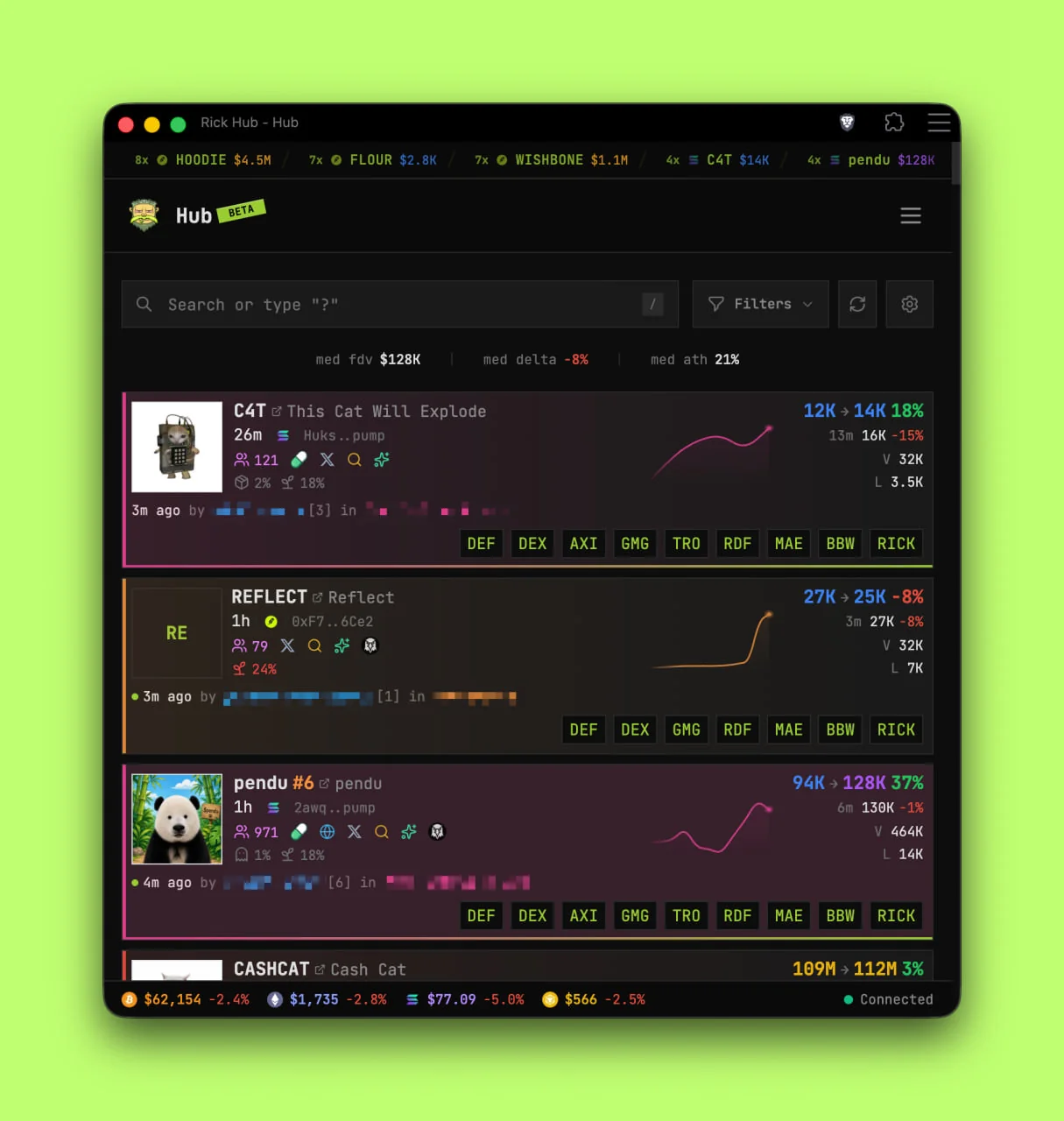 Desktop· Feed with search, filters, and scan cards
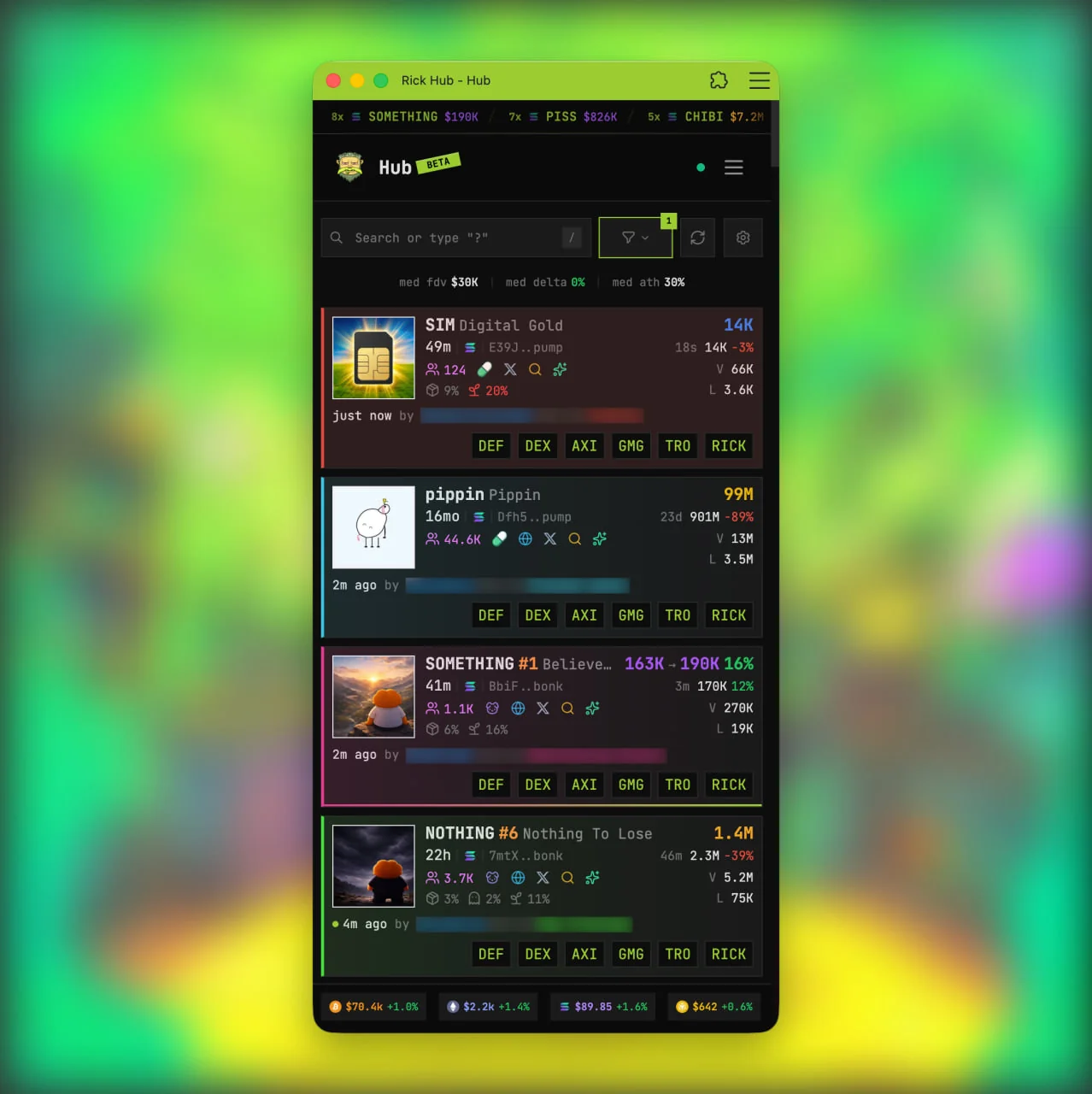 Mobile· The same feed on a phone-sized layout
What is in it
- Feed - every scan from those groups, rescans included.
- Search - find any past scan across those groups.
- Compare - rank those groups, or the public list of groups that opted in.
- Leaderboards - rankings that update as new scans arrive.
- Moon alerts - a toast when a token is up 3x from a group's first-scan FDV.
Rick Hub is in beta. If something breaks, or a change would help, get in touch.
Getting started
- Open the Hub and sign up.
- Look for the email from
[email protected], checking spam too. In Gmail, search All Mail. - Open profile settings and link a Telegram and/or Discord account.
- Open Feed to see scans from eligible groups.
Linking Telegram or Discord
Linking works like signing in with Google or X, and Rick uses it only to verify ownership:
- Rick receives the user ID and basic profile: name, username, avatar.
- Rick does not receive private messages, DMs, or any message, group, or chat.
- Rick cannot post or act on that account's behalf.
On Telegram, scan data reaches the Hub when Rick is an admin in the group. See Grant group permissions. On Discord, see Set the role colour and Grant channel permissions. The feed stays empty until at least one account is linked.
Rick does NOT know when members leave a group. After activity in a server or group, feed access lasts 24 hours.
Tap open on @rick to use the Mini App inside Telegram. Linking Telegram through the Mini App needs no extra authentication.
If a group is missing, check that the right Telegram or Discord account is linked under Profile, and that you were active in the last 24 hours.
Notifications
In-app notifications and sounds are on by default. Background push can be enabled for 6 hours at a time on the profile page. Push only fires while the app is in the background, so an open Hub tab is never flooded.
In Brave, open brave://settings and enable Use Google services for push
messaging.
Compare groups
Compare ranks whole groups against each other instead of ranking tokens. It has two views, kept apart so a private group stays private.
- my groups is private. It ranks only the groups the signed-in account can access, and nobody else sees that view.
- public ranks only the groups whose admins opted in with
/hubrank. A group that never opted in never appears here, for anyone.
Pick a window of 1h, 4h, 12h, 24h, 3d, 7d, or 31d. Each row is
one group, with its scan count, member count, median gain, current delta,
median first-scan FDV, the share of scans that reached 2x and 5x, its best
gain, and its share of rescans. Sort by any column.
A comparison never exposes another group's individual scans.
Public rankings
/hubrank is the opt-in, and it is per group.
/hubrank on- list this group on the public Compare view./hubrank off- remove it from new public rankings./hubrankon its own - show the current setting.
Admins only, and on Telegram it needs a supergroup. No group is listed by default. Opting out applies to new rankings, so an entry can stay visible until the leaderboard refreshes.
/hubrank is a ranking opt-in only. It does not publish scans, members, or
messages, and it does not grant anyone feed access to the group. It is also
unrelated to /rank and clan XP.
Moon alerts
Moon alerts fire when a token a group scanned early is up 3x or more from the FDV that group had on its first scan of that token. After an alert, the same token has to gain another 2.5x in that group before it alerts again.
- Alerts arrive as a toast in the app, and only while the Hub is open. There is no push notification at this time.
- The bell in the header keeps the alerts that were sent, so one can be reopened after the toast disappears. Clear empties it.
- Turn them on or off under Moon Alerts in your profile notification settings.
FAQ
Some browsers sleep tabs to save memory or energy, which disconnects the Hub
feed. In Brave, go to brave://settings/?search=saver and add
app.rick.bot to the allowlist. Other browsers vary: search settings for
"memory" or "saver".
Like Rick's ATH leaderboards, the Hub aims for realistic ATHs rather than short-lived spikes such as pump and dumps.
Terms and privacy
Signing up for and using the Hub means agreeing to the Terms of Service and Privacy Policy.
How is this guide?