
Pushover Alerts
Let group members push critical phone notifications to each other with /alert, /push, and /ptest, and how admins set it up.
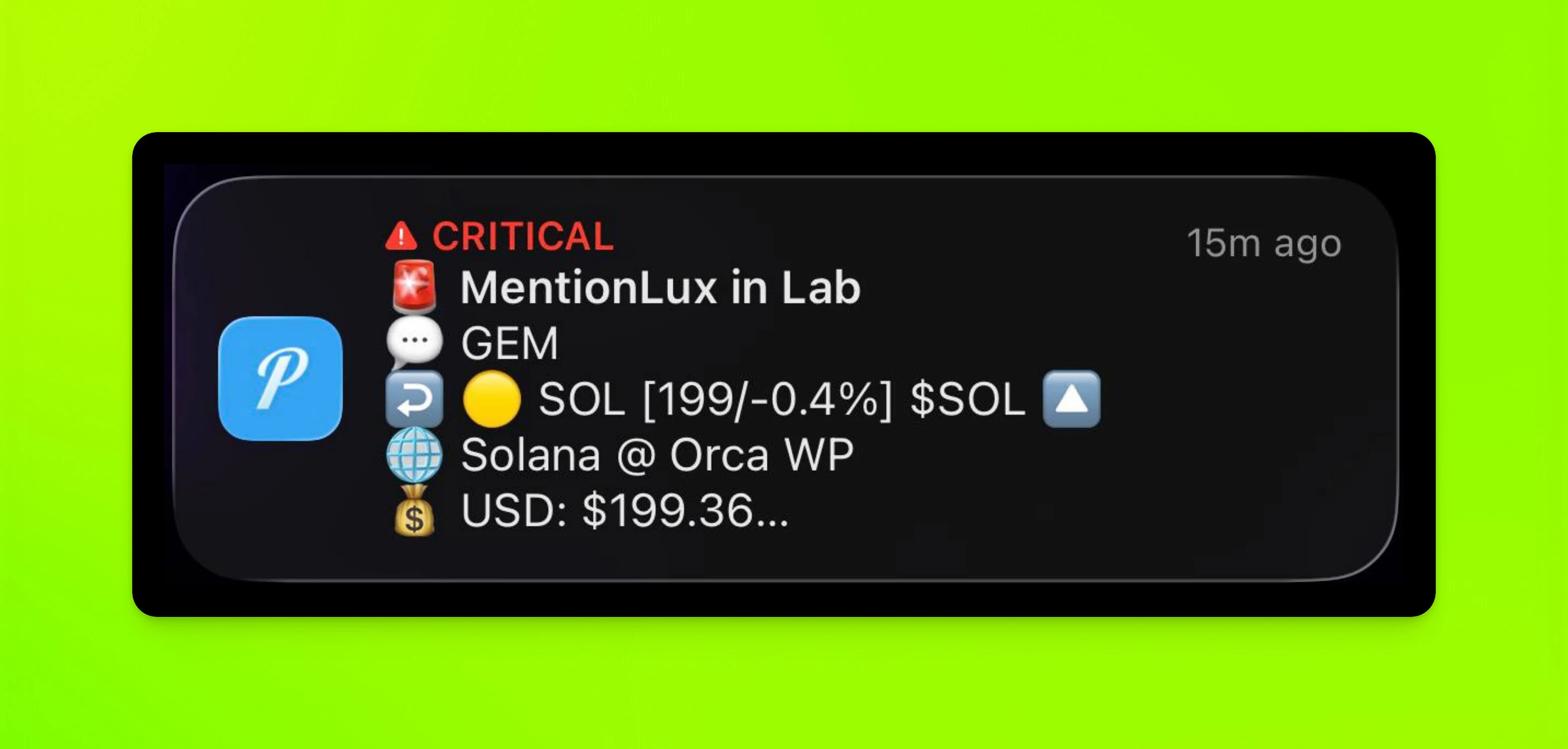
With Pushover, members of a group can send critical
notifications to each other with /alert, /push, and /ptest. It is
configured per group by an admin. The highest level even ignores Do Not
Disturb mode on your phone, for when every second counts.
Why would you want this?
- Your group is locked in.
- Instant, high-priority alerts for urgent situations.
- You can step away from your screen, knowing vital alerts will find you.
This feature is exclusively aimed at private groups. Everyone in the group is able to push alerts.
Commands
| Platform | Command | Description |
|---|---|---|
| /alert | Priority alert. Ignores Do Not Disturb. |
| /push | Normal alert. |
| /ptest | Test alert. No sound or vibration. |
| /ping [message] | Pin a message and push it as a critical alert. Admins only. |
| /setpushgroup | Set the Pushover group key for a chat. |
| /setpushapp | Set the Pushover app token for a chat. |
| /setpushrole | Make a role mention trigger a Pushover alert. |
For members
Download the app
Get Pushover for iPhone and macOS or Android. It is also available in your browser.
To use Pushover there is a $5 one-time fee, and possible API costs if you go over 10k alerts per month.
Subscribing to alerts
Reach out to your group owner or admin for an invite link to the Pushover channel for your group.
Sending alerts
These commands only work if valid keys are configured for the chat. Any member can use them at any time.
- 🚨
/alert [message]- priority alert (ignores Do Not Disturb). - ⚠️
/push [message]- normal alert. - 👾
/ptest- for testing. It does not trigger sound or vibration.
Reply to a message with any of these to include that message in the alert.
Legacy command
If no Pushover keys are configured, /ping only pins a message.
- 📌
/ping [message]- pins a message in the chat and sends the same alert to Pushover as a critical alert. Only admins can use this command, whereas the commands above work for all members.
With a message, Rick posts and pins "PING from you" with your text. Without
one, it posts and pins an "Alpha Alert" from you. Send /ping as a reply to
pin that message instead. Rick needs the rights to pin and delete messages in
the chat, and it deletes your /ping command after posting.
For admins (setup)
This part is meant for group owners and admins. Setup is quite easy and should take about 5 to 10 minutes.
Creating an account
Register your account with Pushover, and log in with the same account in the app. The next steps collect the two API keys needed for the setup.
Getting your app API key
You need an Application/API token. Create one. Each application can send 10,000 messages per month for free. After that, prices start at $50 for 10k alerts.
Pick a name, and optionally find an outstanding icon. Icons may be shown depending on your device.
Open your new app at the bottom of the Pushover homepage and take note of the API Token/Key.
Creating the invite link
On the same page, just below your API key, you can generate invite links for your group members to join.
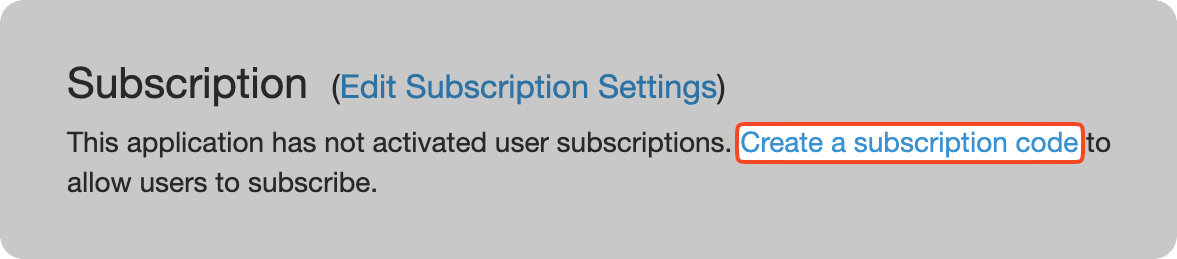
Look for Subscription and Create a new subscription code. Fill in
Description and Author, set the type to Group, and give the group a
name, for example "Lab Members".
For alerts to work, including /ptest, at least one user needs to be in
the delivery group.
You can now find the invite link to share with your members on the API page.
Getting your group API key
Once the group and invite link exist, go back to the homepage, look for Your Delivery Groups, click the newly created group, and take note of this Group Key.
Setting up Rick
Run /chatid in the group you want alerts for and take note of it. See
Find your chat, server, or user ID.
The ID should start with -100, which means the chat is a
supergroup.
API keys can only be configured in your DM with Rick, by an owner or administrator of the target supergroup. Run two commands there:
/setpushgroup <groupKey> <chatId>- the group key./setpushapp <apiToken> <chatId>- the app token.
To clear a key, pass clear in place of it, keeping the chat id:
/setpushgroup clear <chatId> or /setpushapp clear <chatId>. Both
commands need exactly two arguments, and the chat id must start with
-100.
Tips and tricks
Browser alerts
You may also configure your browser to receive alerts. It counts as one device at the one-time fee of $5, but clicking the alert instantly opens your Telegram app and jumps to the message.
Discord role alerts
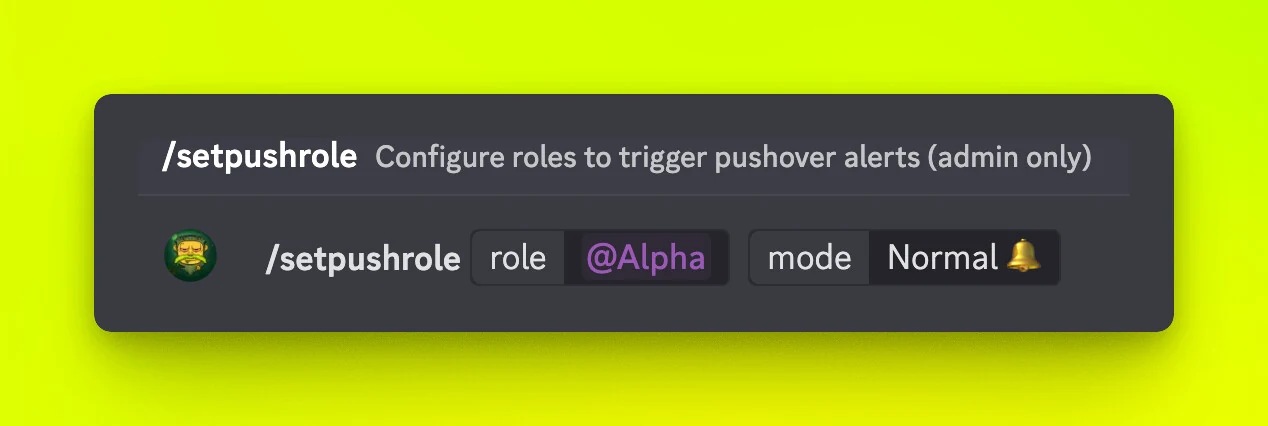
In Discord you can configure any role to trigger a Pushover alert. Use
/setpushrole and select the role plus the mode (Normal or
Critical) for that role.
The command works like a toggle. If the role was configured before, running it again for the same role unsets it.
How is this guide?