
X Profile Insights
Scan any X (Twitter) profile with /moni for its Moni score, smart followers, and username history.
/moni gives quick insights for any Twitter/𝕏 profile, powered by
Moni. Pass a handle or a profile
URL.
Commands
Usage
/moni <handle or url>- scan a profile, for example/moni https://x.com/MentionLux.
Click the ✨ emoji to request a
TLDR of the profile
and its recent tweets, the same report as /ts on Telegram and .ts on
Discord.
Auto-response
Rick auto-responds to Twitter/𝕏 profile links shared in a group. Discord has
no auto-response and no /xprofile command.
/xprofile on- respond to X profile links (default)./xprofile off- stop responding to X profile links.
Admins only, in groups. Changes can take up to 5 minutes to apply.
Explained
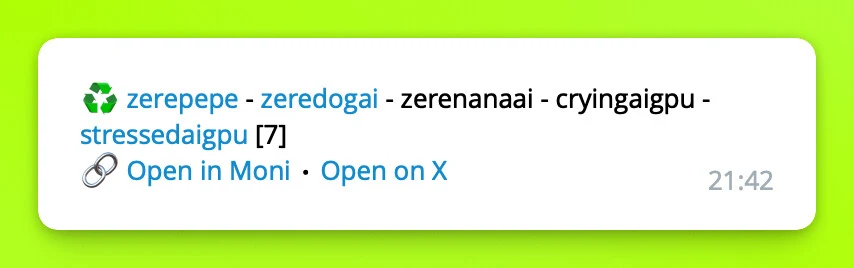
The widget shows some basic info:
- ♻️ - check the username history.
- ✨ - request an AI summary of the profile.
- 🧠 - the Moni score of this profile.
- 🧬 - the smartest followers of the account.
- ♻️ also shows whether there is a username history. The top emoji link
shows the same in more detail, including pair history, similar to how the
/soccommand does it. - Open in Moni and Open on X open the profile externally.
Preview
How is this guide?