
Custom Trade Buttons
Choose which trading platforms and tools appear as buttons under token scans, and where, with /tb.
Trade buttons give quick access to trading platforms and tools directly from
token scans. /tb configures which platforms appear and where they are
positioned.
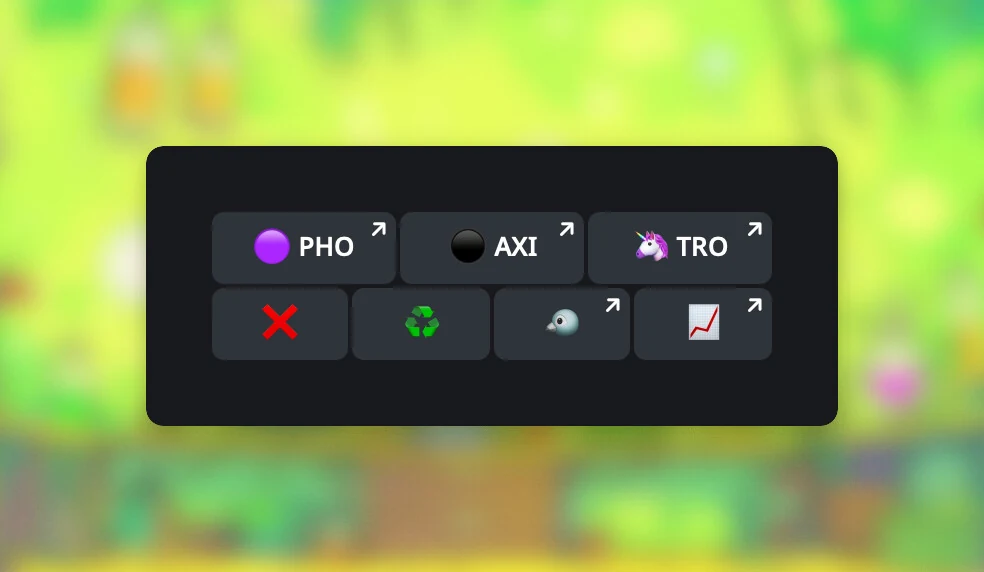
Also available on Discord. Use the /tb slash command and enter the setting
in its config option, for example on, top, 4, or PHO AXI TRO. Use
top or bottom for the position; Discord also accepts bot as an alias for
bottom.
Commands
Changing trade-button settings is admin only in groups and servers. Changes
can take up to 5 minutes to apply. Run /tb without a value to see the
current selection, position, and display limit.
| Platform | Command | Description |
|---|---|---|
| /tb | Show current settings and help. |
| /tb on | Enable default trade buttons. |
| /tb PHO AXI TRO | Custom selection: list platform codes in the order you want them. |
| /tb off | Disable all trade buttons. |
| /tb top | Position above other buttons. |
| /tb bot | Position below other buttons (default). |
| /tb 4 | Set the display limit. Default: 3. |
Display limit
The limit is 1 to 6 on Telegram and 1 to 4 on Discord. On token scans
the default is 3 on both. In a group the row appears once an admin runs
/tb on or picks codes; in a Telegram DM the default row is on unless you
turn it off.
/tb <1-6>- set how many buttons show.
Displaying more than 4 buttons can increase the width of the responses and may look cluttered.
Supported platforms
There is no limit on how many codes you can add, but only the first 3 (default) will be shown.
For example:
- You configure
/tb AXI PHO PDR MAE BAN. The first 3 show for a Solana token. - You query an Avalanche token: only Maestro is shown.
- You query an Ethereum token: Photon, Maestro, and BananaGun are shown.
Order matters. If a configured platform does not support the token's network, Rick skips it and uses the next valid platform until it reaches the display limit. Codes that are not in the default quick links can be added this way; see Quick links.
Trading platforms
| Code | Platform |
|---|---|
AXI | Axiom |
PHO | Photon |
GMG | GMGN |
GMGTG | GMGN on Telegram |
TRO | Trojan |
TRT | Trojan Terminal |
BNK | BonkBot |
CLO | Cielo Terminal |
JUP | Jupiter |
FMO | Fomo |
OKX | OKX Web3 |
TEL | Telemetry by BonkBot |
VYP | Vyper |
BAN | BananaGun |
BSD | Based Bot |
BBW | Based Bot Web |
PRO | Maestro Pro |
MAE | Maestro |
SGM | Sigma |
MVX | MEVX |
MVXTG | MEVX on Telegram |
STB | SolTradingBot |
PDR | Padre |
PEP | PepeBoost |
BLO | Bloom |
SHU | Shuriken |
BIN | Binance Wallet |
COVE | Cove Trading Bot |
DTR | DTrade on TON |
Analysis tools
| Code | Tool |
|---|---|
HUB | Rick Hub. Use HUBW for the web version instead of the Telegram Mini App. HUBW is Telegram only. |
LORE | Shortcut to Lore. Telegram only. |
BM | BubbleMaps |
TR | TrenchRadar |
DEF | Defined |
DEX | DexScreener |
MOB | MobyScreener |
DT | DexTools |
FAR | Search Farcaster for Base tokens |
Preview
How is this guide?